


Overview of the Melbet Mobile App
The Melbet app functions as a self-contained, lightweight alternative to the brand’s desktop platform. Rather than acting as a stripped-down mobile site, it is a dedicated piece of software compiled specifically to handle heavy graphical loads from live casino suites and rapid odds updates from active sportsbooks. Designed to conserve cellular data while preserving high-definition rendering, it minimizes the buffering commonly associated with standard web browsers.

What the App Includes for Canadian Users
Canadian players gain unrestricted access to Melbet’s entire gambling portfolio inside a single interface. The application features full structural parity with the desktop platform, ensuring no betting markets, casino titles, or promotional incentives are missing. Key internal elements localized for Canadian users include:
- Complete CAD Support: Account balances, bet slips, minimum risk limits, and structural payouts are displayed directly in Canadian Dollars ($ CAD) to eliminate currency conversion fees.
- Localized Payment Integration: The app interfaces cleanly with domestic financial gateways, featuring Interac e-Transfer, Visa, MasterCard, and over 30 distinct cryptocurrency tokens including Bitcoin, Ethereum, and Solana.
- Dual-Engine Lobby: Seamless shifting between a 40-category sports betting sportsbook and an extensive online casino library housing over 5,500 games.
- Comprehensive Promotions Panel: Mobile users can activate regular bonuses directly through the app menu, including standard first-deposit incentives and localized promotions like “Members Only Fridays” which offers a 50% match bonus on reload transactions.
Key Mobile Features
The coolest part about using the Melbet app is that it has built-in features a laptop or desktop computer just can’t do. Everything is optimized to save you time, keep you in the loop, and let you tailor the whole experience to your betting style:
- Live Pings: Forget about constantly hitting refresh on a browser tab. The app shoots instant notifications straight to your home screen the second your bet clears, a match kicks off, lines move, or a fresh mobile promo goes live.
- Pre-Baked Parlays: If you are in the mood for a multi-game wager but don’t want to spend an hour digging through stats, you can just grab one of their daily pre-set slips. The site’s oddsmakers build them, and they throw in an automatic payout multiplier if the whole ticket wins.
- One-Click Stakes: Trying to type in a specific dollar amount during a chaotic live game is a great way to watch your odds disappear. To beat the clock, you can set a default bet size (like $10 or $20 CAD) in your profile and lock in live wagers instantly with a single tap.
- Low Data Mode: If your cell reception is weak or you are trying to stretch your monthly data plan, this is a massive lifesaver. The app caches basic graphics directly on your smartphone so it loads faster, uses barely any bandwidth, and keeps odds fluid even on spotty connections.

How to Download Melbet App in Canada
Because Melbet operates internationally under a Curaçao offshore license, the download methodology differs from downloading typical commercial utility apps. Google and Apple maintain regional restrictions regarding real-money gambling platforms on their storefronts within certain jurisdictions, requiring alternative, verified installation pipelines.
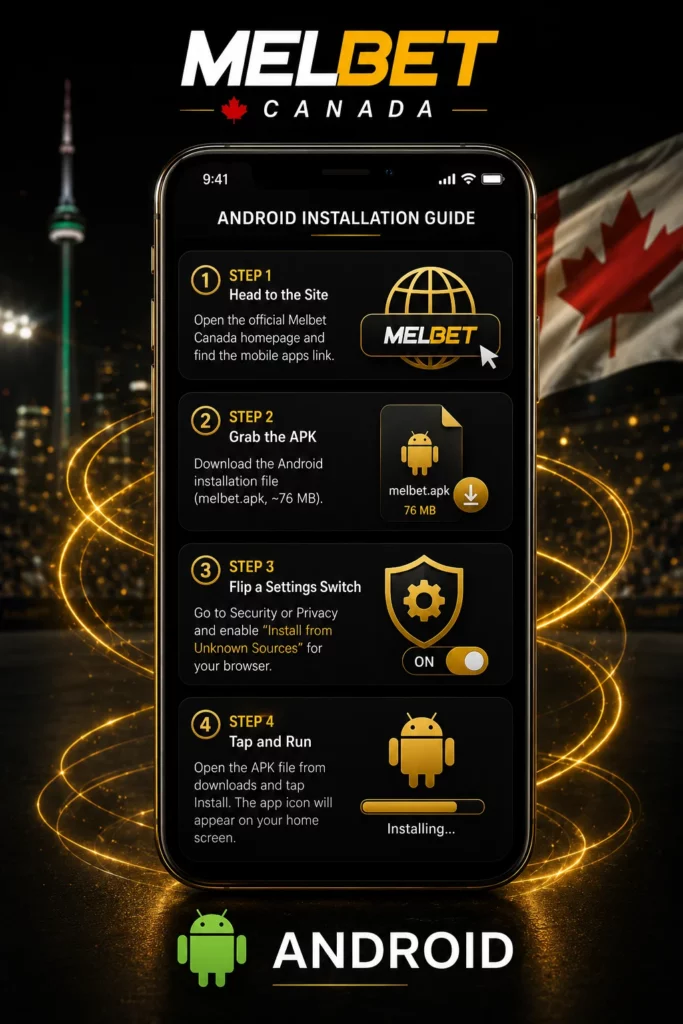
Android Installation Guide
Since Google Play doesn’t list gambling apps in Canada, you have to grab the raw APK file from their site and install it yourself. It takes less than two minutes if you follow these steps:
- Step 1: Head to the Site. Fire up Chrome or whatever mobile browser you use and open the official Melbet Canada homepage. Scroll all the way down to the bottom or check the menu to find the link for mobile apps.
- Step 2: Grab the APK. Hit the Android button to start downloading the installation file. It’s usually called melbet.apk and takes up roughly 76 MB of space.
- Step 3: Flip a Settings Switch. Before you open the file, your phone will probably block it for safety. Jump into your device settings, look for “Security” or “Privacy,” and turn on the permission that says “Install from Unknown Sources” for your browser.
- Step 4: Tap and Run. Go to your phone’s downloads folder, tap the new APK file, and hit “Install.” Wait a few seconds for the bar to fill up, and the app icon will appear right on your home screen ready for action.
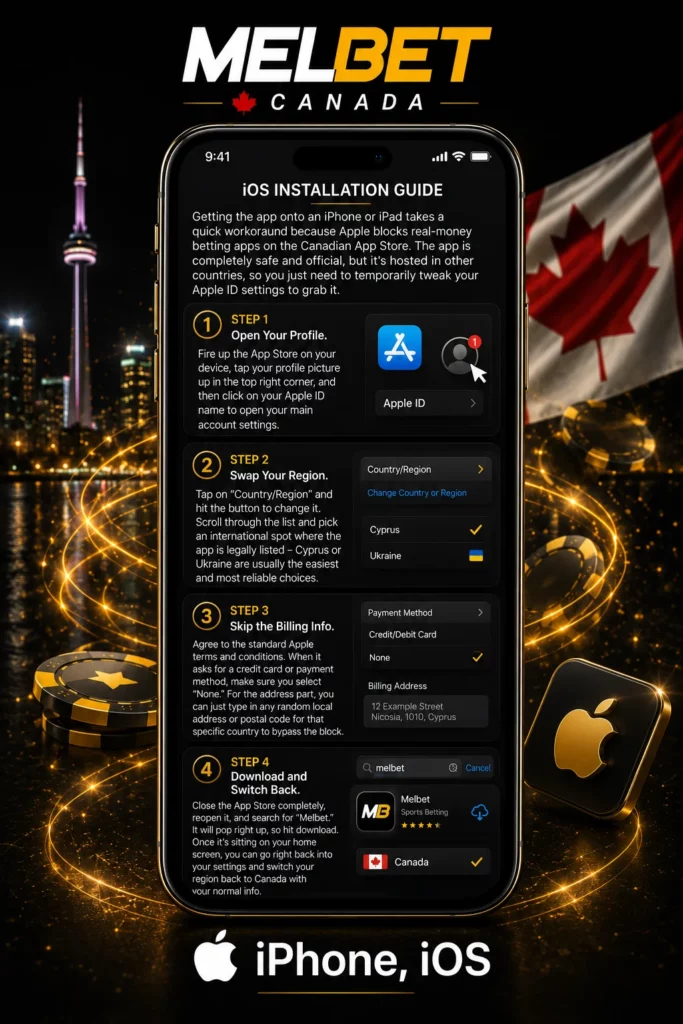
iOS Installation Guide
Getting the app onto an iPhone or iPad takes a quick workaround because Apple blocks real-money betting apps on the Canadian App Store. The app is completely safe and official, but it’s hosted in other countries, so you just need to temporarily tweak your Apple ID settings to grab it.
- Step 1: Open Your Profile. Fire up the App Store on your device, tap your profile picture up in the top right corner, and then click on your Apple ID name to open your main account settings.
- Step 2: Swap Your Region. Tap on “Country/Region” and hit the button to change it. Scroll through the list and pick an international spot where the app is legally listed – Cyprus or Ukraine are usually the easiest and most reliable choices.
- Step 3: Skip the Billing Info. Agree to the standard Apple terms and conditions. When it asks for a credit card or payment method, make sure you select “None.” For the address part, you can just type in any random local address or postal code for that specific country to bypass the block.
- Step 4: Download and Switch Back. Close the App Store completely, reopen it, and search for “Melbet.” It will pop right up, so hit download. Once it’s sitting on your home screen, you can go right back into your settings and switch your region back to Canada with your normal info.
Direct Access via Browser
Don’t want to mess with your phone’s privacy settings or change your Apple ID region? If you’re also low on storage and can’t spare 300 MB for another app, just use Melbet’s web shortcut (PWA) instead.
It runs straight through Safari or Chrome but looks just like the real deal. Setting it up is a breeze and takes literally five seconds: pull up the Melbet site on your phone, hit the browser’s “Share” or “Menu” button, and tap “Add to Home Screen.” Boom – you get a neat little icon on your desktop for quick access, completely skipping any actual downloads or installs.
App Functions and Gaming Options
The internal architecture of the Melbet mobile application splits its processing power between sports forecasting and high-fidelity casino entertainment, maintaining separate but fluidly accessible main lobbies.
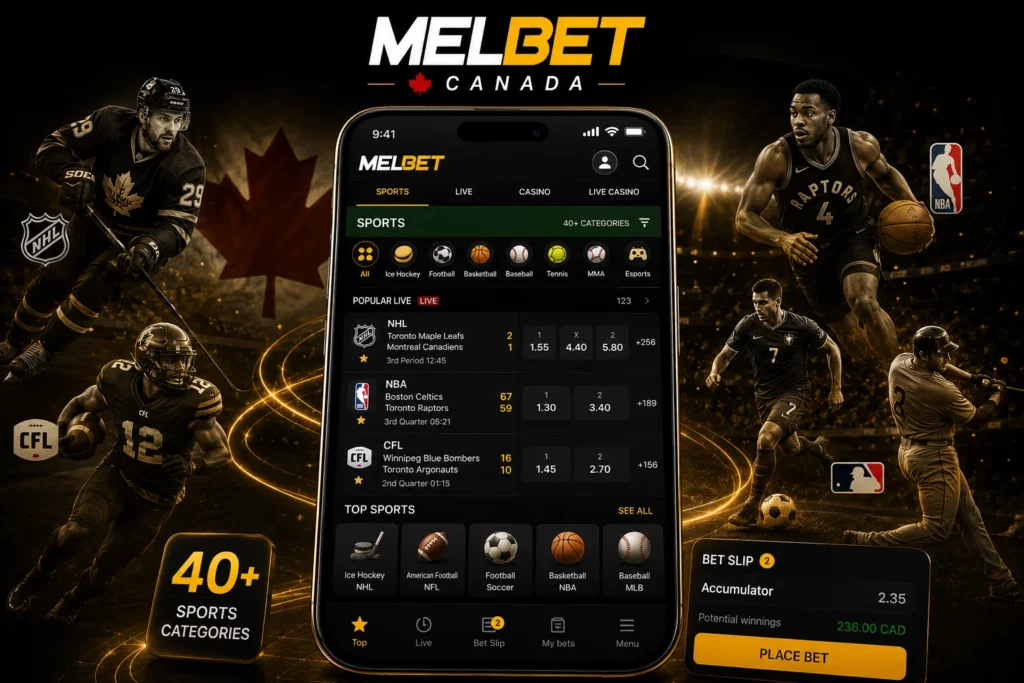
Sports Betting on Mobile
The Melbet sportsbook mobile interface lists over 40 distinct sports categories on any given day, covering thousands of daily events. The software is optimized to display deep market trees without causing systemic screen stuttering.
Canadian players will find intensive historical and active coverage for major domestic interests, including the NHL (National Hockey League), CFL (Canadian Football League), NBA, MLB, NFL, and international soccer tournaments. The betting architecture supports various wagering types, such as singles, multi-leg accumulators, and complex system chains.
While Melbet features expansive player prop selections – such as total passing yards, touchdown scorers, and total tackles in NFL fixtures – it lacks a native Same-Game Parlay (SGP) or Bet Builder tool. Bettors cannot combine multiple outcomes from the same event into a single high-odds wager inside the app slip.
Casino Games in the App
The app’s built-in casino room is packed with over 5,500 games from the world’s leading software developers. Thanks to smart HTML5 optimization, you won’t have to deal with awkward cropping or tiny text; every game instantly adjusts to perfectly fit your phone’s screen size, whether you are using a compact smartphone or a large tablet.
The dedicated “1xGames” (or proprietary games) tab features specialized mobile-centric crash titles like Crystal, Under and Over 7, and Dice. These casual games are engineered for short, on-the-go play sessions and frequently contribute 200% toward meeting active bonus wagering parameters, significantly reducing the play-through timeline for mobile users.


Live Betting Features
In-play wagering is integrated directly into the core sports hub rather than being sequestered into a separate tab. Selecting any ongoing game reveals dynamic, shifting odds lines that alter color indicators (green for rising odds, red for dropping odds) to visually signal market movements to the bettor.
To complement live betting, Melbet offers built-in High-Definition Live Streaming for selected sporting fixtures. A standout asset of this mobile feature is that Melbet permits live stream viewing even on completely unfunded player accounts, enabling users to watch matches and monitor statistical track records, team standings, and live scorecards without making a baseline monetary commitment.
Performance and User Experience
A mobile application’s functional value depends on its execution speed, stability, and compatibility across varying hardware profiles.
Speed and Interface Design
Melbet designed its app with a clean, dark gray and gold theme that looks sharp and is incredibly easy on the eyes, especially if you are playing late at night. Finding your way around is smooth, thanks to a convenient slide-out menu on the left side of the screen. With a quick swipe, you can instantly check your balance, view your betting history, manage your profile, or jump straight to your favorite casino games and sports leagues.
While the density of text and data matrices can feel slightly cluttered for complete beginners compared to simplistic provincial betting apps, it offers superior depth for experienced players. The software transitions between sportsbook menus and the casino lobby within 1 to 2 seconds, outperforming standard mobile browser loading times.
Device Compatibility
The app’s technical framework is deliberately optimized for maximum cross-generational compatibility, ensuring it runs smoothly on both newer flagship devices and entry-level phones.
| Technical Metric | Android Requirements | iOS Requirements |
| Operating System | Version 5.0 or higher | Version 14.0 or later |
| RAM Allocation | Minimum 1 GB | Minimum 2 GB |
| Storage Footprint | ~76 MB (Initial APK) | ~300 MB (Fully Installed) |
| Compatible Models | Most devices from 2016-present | iPhone 6s and newer models |
Security and App Reliability
When handles financial transactions and personal identification records, app security is paramount. Melbet employs several layers of programmatic protection within its mobile architecture.
Safe Login System
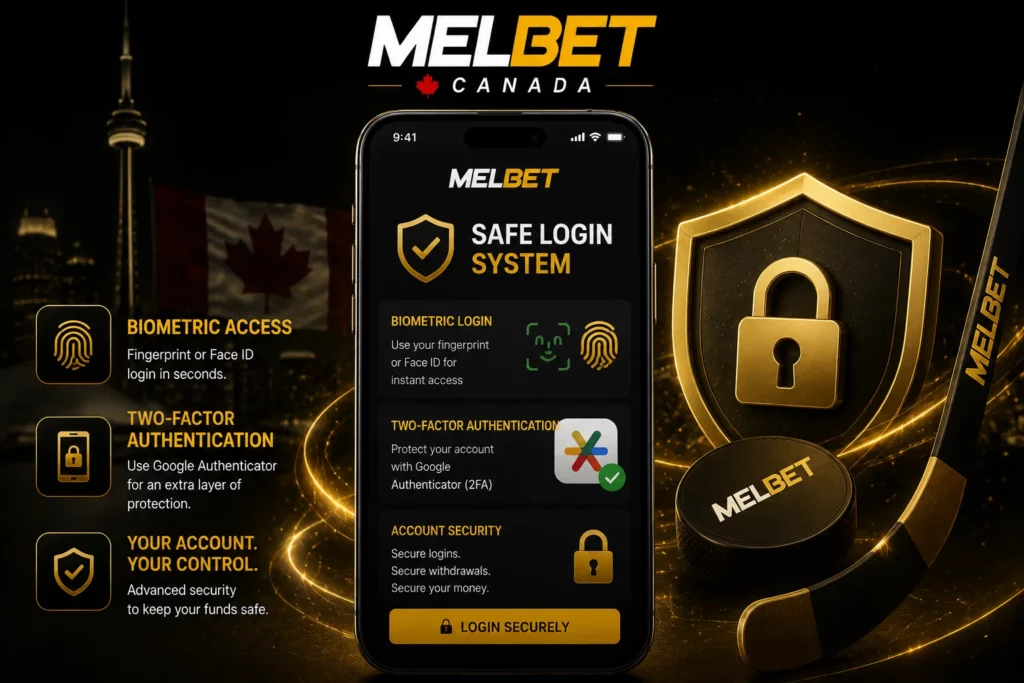
Let’s face it, nobody wants their account hacked. To avoid the hassle of entering clunky passwords over and over, you can just use your phone’s built-in biometrics. Setting up a quick fingerprint scan or Face ID gets you logged in instantly.
For maximum security, you should probably turn on Google Authenticator. It adds a fast 2FA check whenever you log in or cash out. This ensures no one can mess with your money unless they actually have your phone in their hand.
Data Protection Features
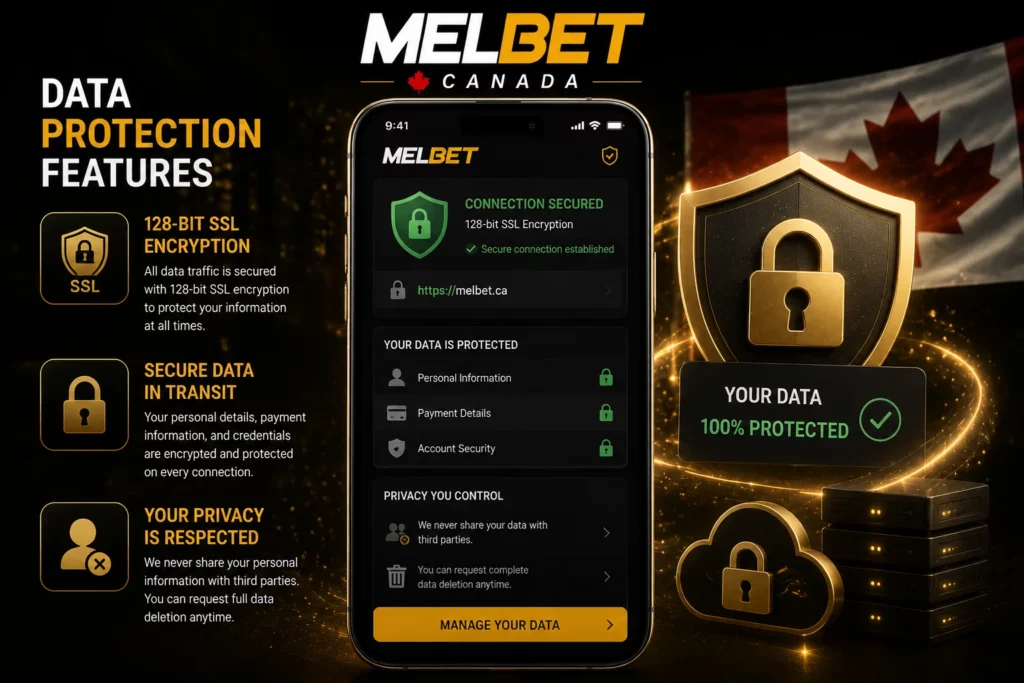
All data traffic passing between the mobile application and Melbet’s centralized database servers is locked via standard 128-bit SSL (Secure Sockets Layer) encryption protocols. Personal information, bank transfer parameters, and credit card credentials are encrypted in transit to shield them from interceptive attacks on public Wi-Fi networks.
The operator’s internal privacy regulations dictate that personal information is never distributed to third-party commercial entities, and users retain the programmatic right to request complete data deletion directly from their account dashboard if they decide to close their profiles.